Spotify Playlist Cover Maker
Create stunning collage covers from your Spotify playlists. Generate custom album art instantly for free—perfect for social media, Instagram stories, and streaming platforms.
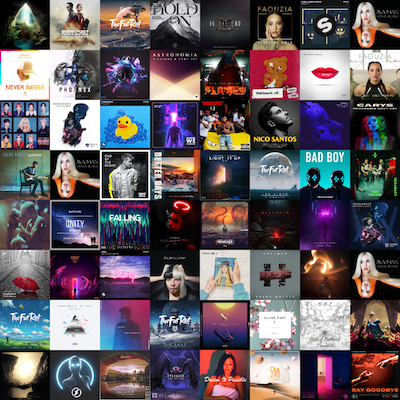
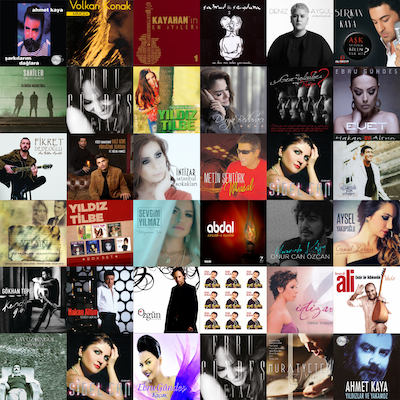
What is a Spotify Playlist Cover Maker?
A Spotify playlist cover maker is a free online tool that automatically generates custom album art collages from your Spotify playlists. Our cover generator extracts album artwork from every track in your playlist and combines them into a beautiful mosaic-style cover image. Perfect for music lovers, DJs, playlist curators, and social media content creators who want unique, eye-catching visuals for their playlists.
How Does the Playlist Cover Generator Work?
Our AI-powered cover maker works in three simple steps: First, paste your public Spotify playlist URL. Second, our system fetches all album artwork from the tracks in your playlist. Third, we automatically create a perfectly-sized collage grid (from 2x2 up to 8x8 depending on track count) and generate a high-quality 1200x1200px PNG image ready for download. The entire process takes just seconds!
Why Create Custom Playlist Covers?
Stand Out on Social Media: Custom playlist covers get more engagement on Instagram, Twitter, TikTok, and Facebook. Eye-catching collage artwork makes your music posts more shareable and memorable.
Perfect for Content Creators: Music bloggers, YouTubers, podcast hosts, and influencers use custom covers to brand their content and create a consistent visual identity across platforms.
Showcase Your Music Taste: A collage of album covers instantly communicates your musical style and the vibe of your playlist—perfect for sharing with friends or building a following.
Professional Look: Whether you're a DJ sharing a setlist, a music curator building a brand, or just someone who loves creating playlists, custom covers add a professional, polished touch.
Best Uses for Playlist Cover Art
Instagram Stories & Posts: Create stunning square images (1200x1200px) perfect for Instagram's format. Share your favorite playlists, music discoveries, or themed collections with custom artwork that stops the scroll.
Playlist Promotion: Musicians and labels can promote official playlists with professional-looking covers that showcase featured artists and build excitement.
Music Blog Graphics: Bloggers and journalists can generate unique header images for playlist roundups, genre explorations, or "best of" articles without design skills.
Discord & Community Sharing: Gaming communities, friend groups, and online music communities love sharing playlist covers in Discord servers and group chats.
YouTube Thumbnails: Use generated covers as backgrounds or elements for YouTube playlist videos, music reaction content, or listening session streams.
Features of Our Playlist Cover Maker
Automatic Grid Detection: Our smart algorithm automatically determines the perfect grid size based on your playlist length—from intimate 2x2 grids (4 tracks) to expansive 8x8 mosaics (64+ tracks).
High-Quality Export: Download crisp, clear 1200x1200px PNG images optimized for web and print use. Perfect resolution for social media while keeping file sizes manageable.
Free & Fast: Generate unlimited playlist covers completely free. No watermarks, no sign-up required for basic use, and lightning-fast generation in under 5 seconds.
Privacy-Focused: We only access public playlist data and never store your personal information or listening history. Your music taste stays private.
Tips for Creating Great Playlist Covers
Choose Visually Cohesive Playlists: Playlists with albums from similar eras or genres often create more aesthetically pleasing collages with complementary color schemes.
Optimal Track Count: While we support any number of tracks, 9-64 track playlists (3x3 to 8x8 grids) tend to create the most balanced, visually interesting covers.
Update for Fresh Content: Regenerate your playlist cover when you add new tracks to keep your social media posts fresh and current.
Experiment with Different Playlists: Create covers for seasonal playlists, mood-based collections, or genre-specific compilations to build a diverse content library.